Publish your record and certificate
Set the name and the link on your completion record, publish it, and copy its address.
Would you like to be walked through this on your own screen? You’ll be guided one step at a time, and you do every click yourself.
It needs Chrome or Edge on a computer.
This guided help needs a computer. You’re welcome to open this page on one.
Edit the name in the field under “The name on the record”.
The field shows the updated name you typed.
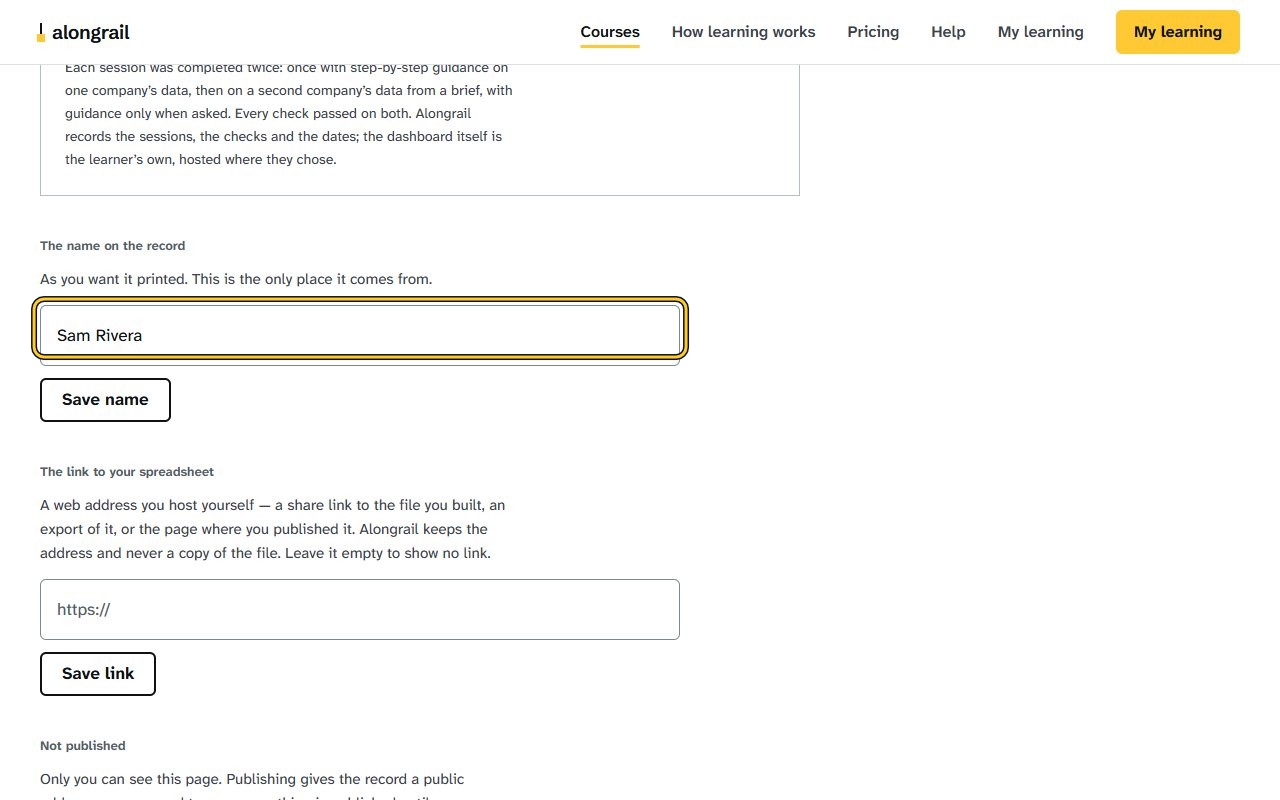
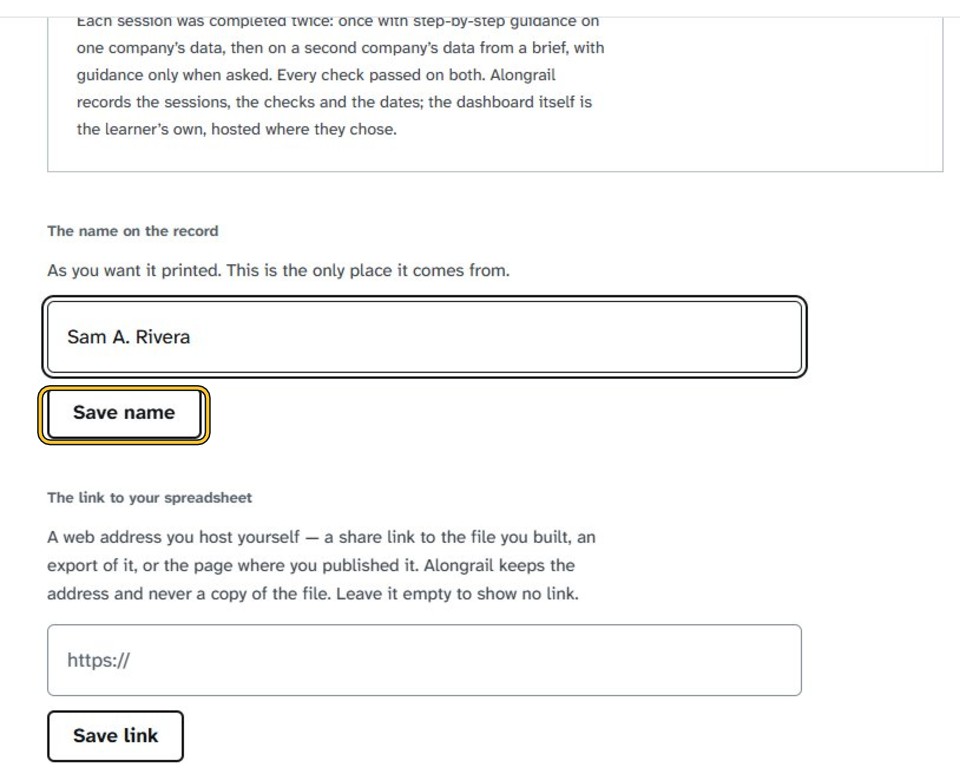
Click “Save name”.
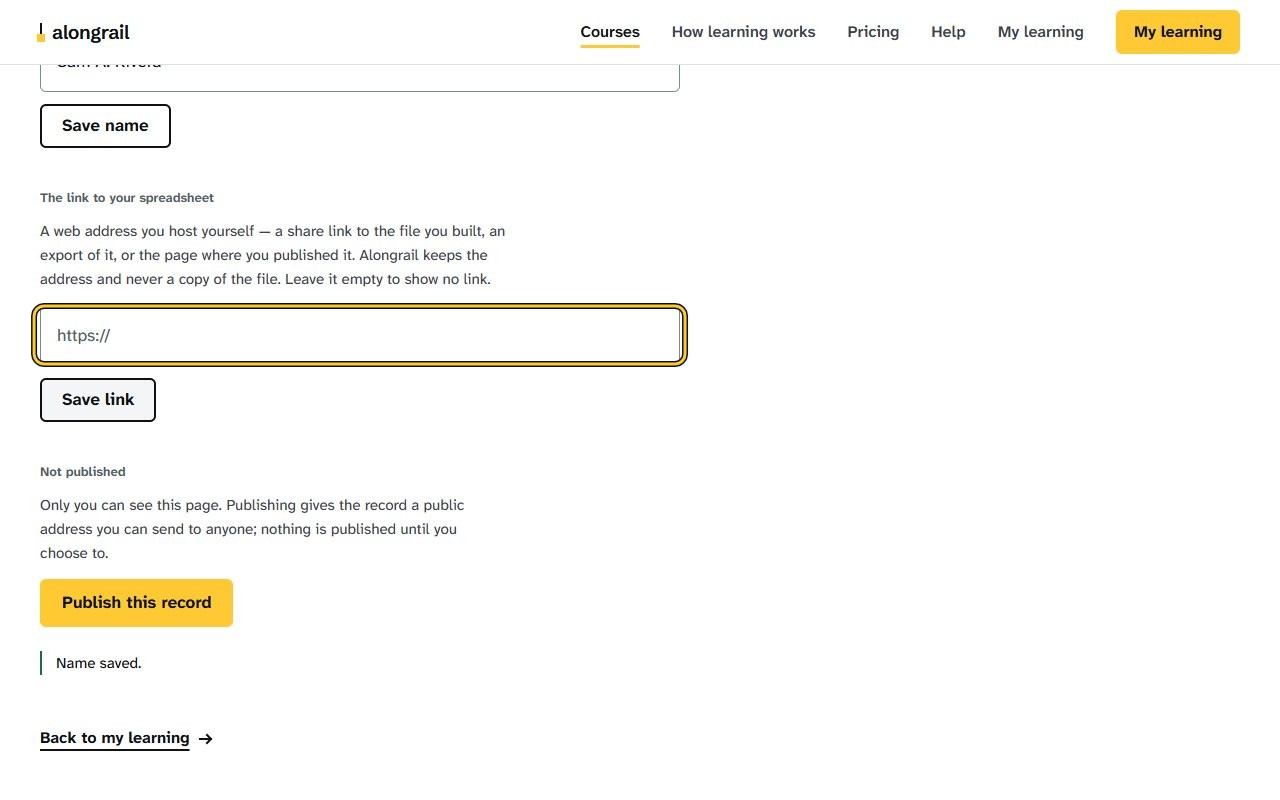
A “Name saved.” message appears near the bottom of the page.
Enter the web address of your spreadsheet in the field under “The link to your spreadsheet”.
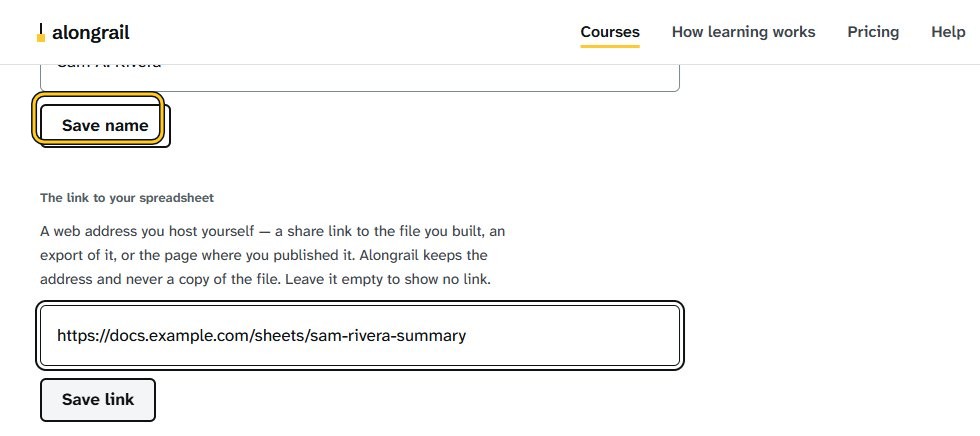
The link field shows the web address you entered.
Click “Save link”.
A “Link saved.” message appears below the publish section.
Click “Publish this record”.
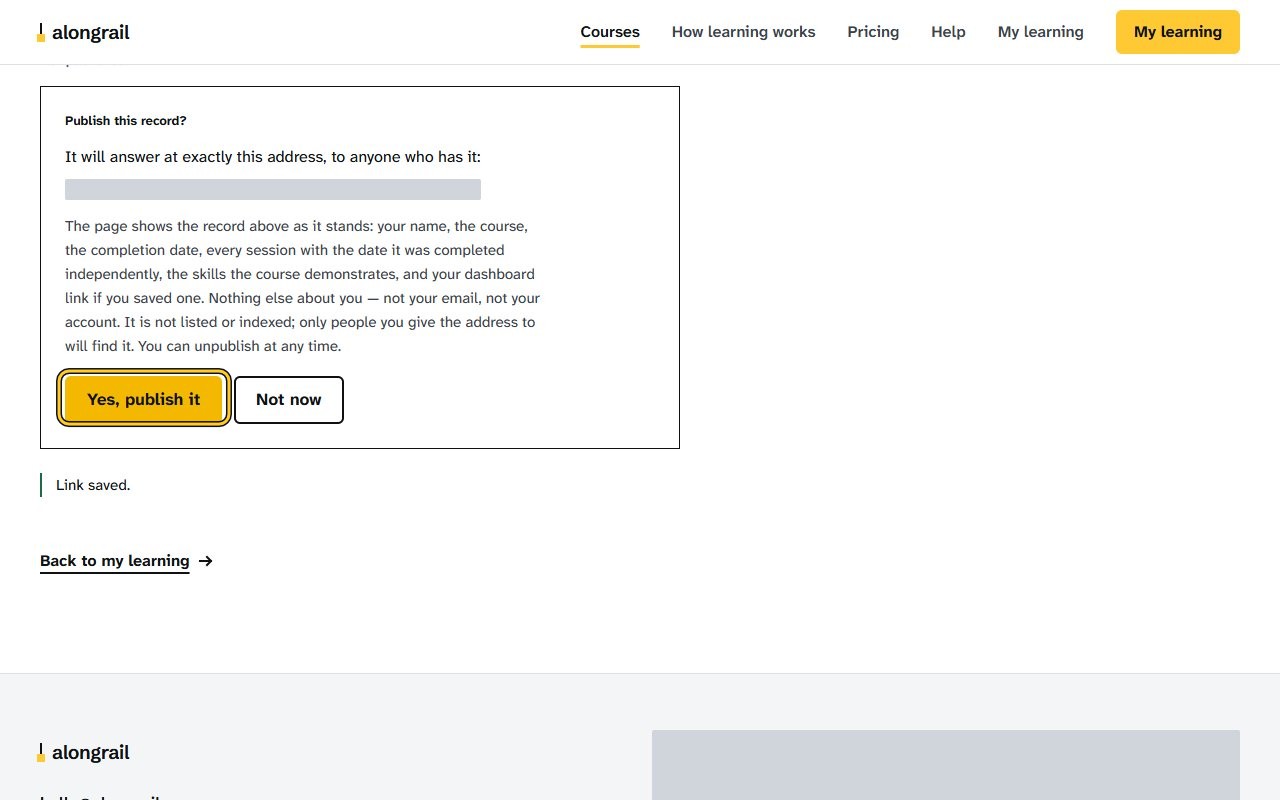
A confirmation dialog explains the record will be published and asks to confirm.
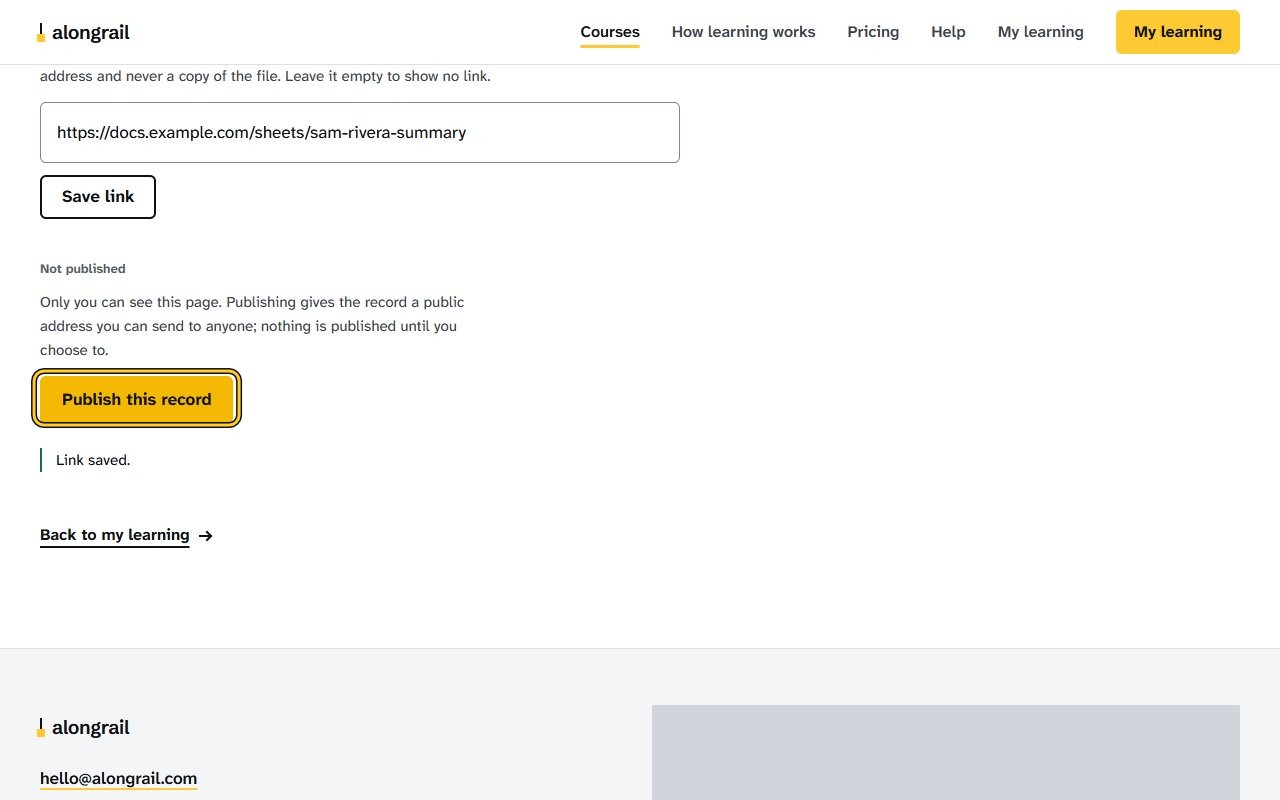
In the dialog that opens, confirm by clicking “Yes, publish it”.
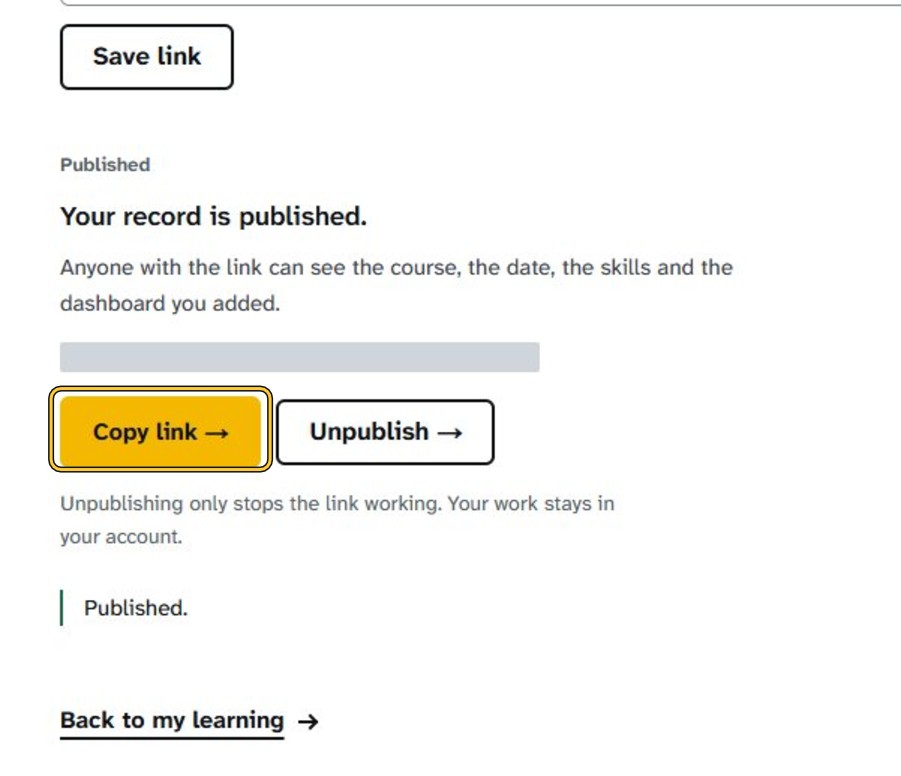
The page shows “Published” and “Your record is published.”
Click “Copy link”.
A message reads “Link copied.”
If your screen looks different
Screens change from time to time, and yours may not match these pictures exactly.
Would you like to be walked through this on your own screen? You’ll be guided one step at a time, and you do every click yourself.
It needs Chrome or Edge on a computer.
This guided help needs a computer. You’re welcome to open this page on one.
Related
Write to us
If something here doesn’t match what you see, please write to hello@alongrail.com. A person reads every message.